Building a budgeting app
Diamond - A Budgeting App for ABN AMRO Customers ABN AMRO, my bank, doesn't give you any real way to track your spending. Every time I want to understand where my money is going,
Diamond - A Budgeting App for ABN AMRO Customers
ABN AMRO, my bank, doesn't give you any real way to track your spending. Every time I want to understand where my money is going, I have to export a spreadsheet with all the transactions, manually label every transaction, and build pivot tables. Every month. It's a bit of a pain.
So I decided to build a budgeting web app.
The idea is simple: you upload your bank transaction export, the app categorises everything automatically, and you get a clean dashboard of your spending. No spreadsheets. No manual work.
Every time an expense gets categorised, I take the vendor name and save it to a database so that next time, I already know which category it belongs to.
Here's how I put it together. I did it in 5 steps:
- Set up a boilerplate
- Built the website
- The categorisation engine
- The dashboard
- Set up a freemium gate
Set up a Boilerplate
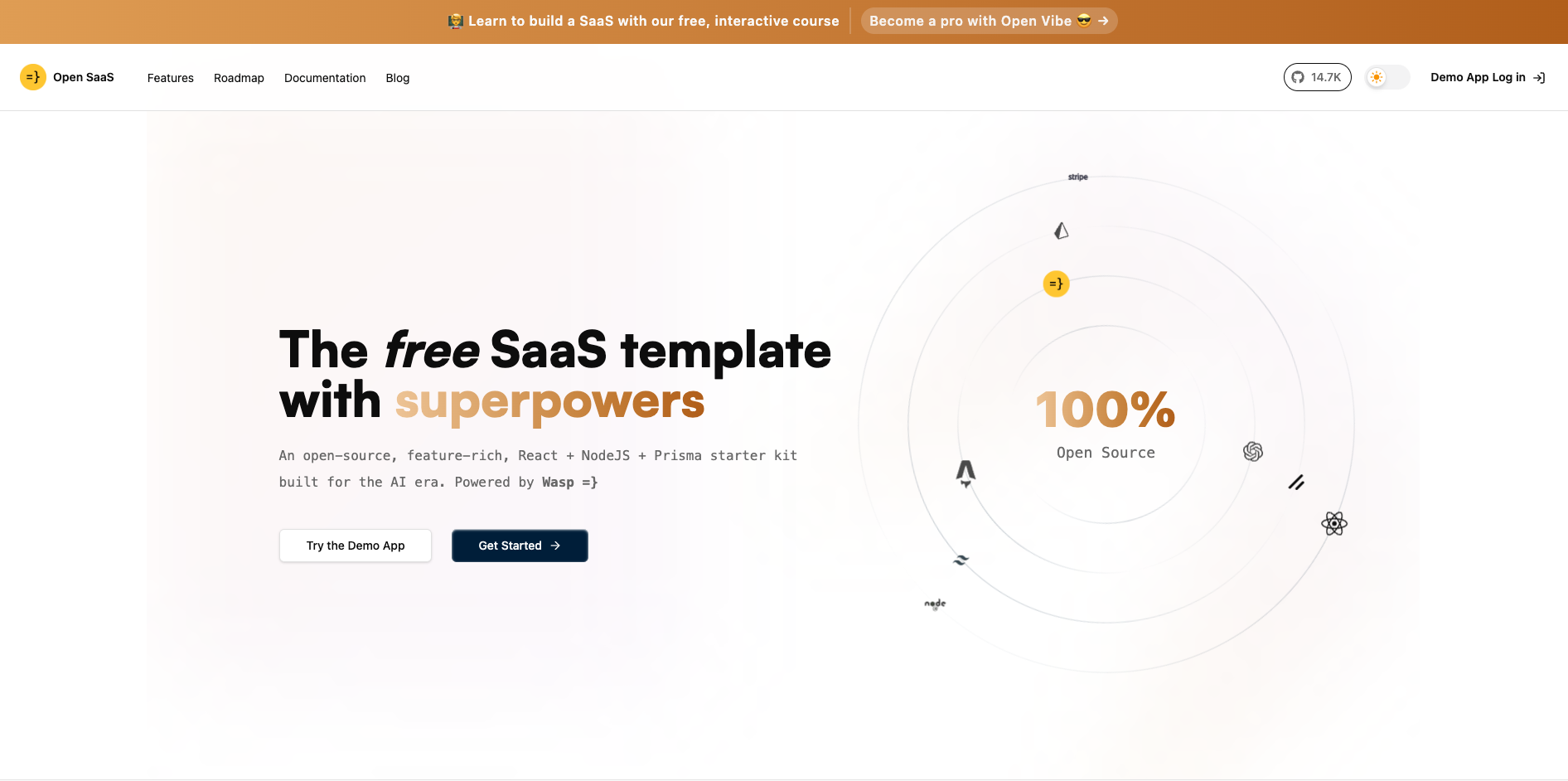
I didn't want to spend time on SaaS infrastructure, login, billing, etc. So I used Open SaaS, a free open-source starter template that comes with all of that pre-built. It runs on a framework called Wasp, and getting it up and running honestly took less than 20 minutes. After you've installed Docker, it's a matter of a few commands.
To install it and create a new project:
bash
npm i -g @wasp-sh/wasp-cli
wasp new
To start the PostgreSQL database:
bash
wasp start db
wasp db migrate-dev
And to actually launch the thing:
bash
wasp start
And there you have it. A working app skeleton with auth, billing stubs, and a basic UI, all there. We have a nice folder structure with everything you need to get started.
Build the Website
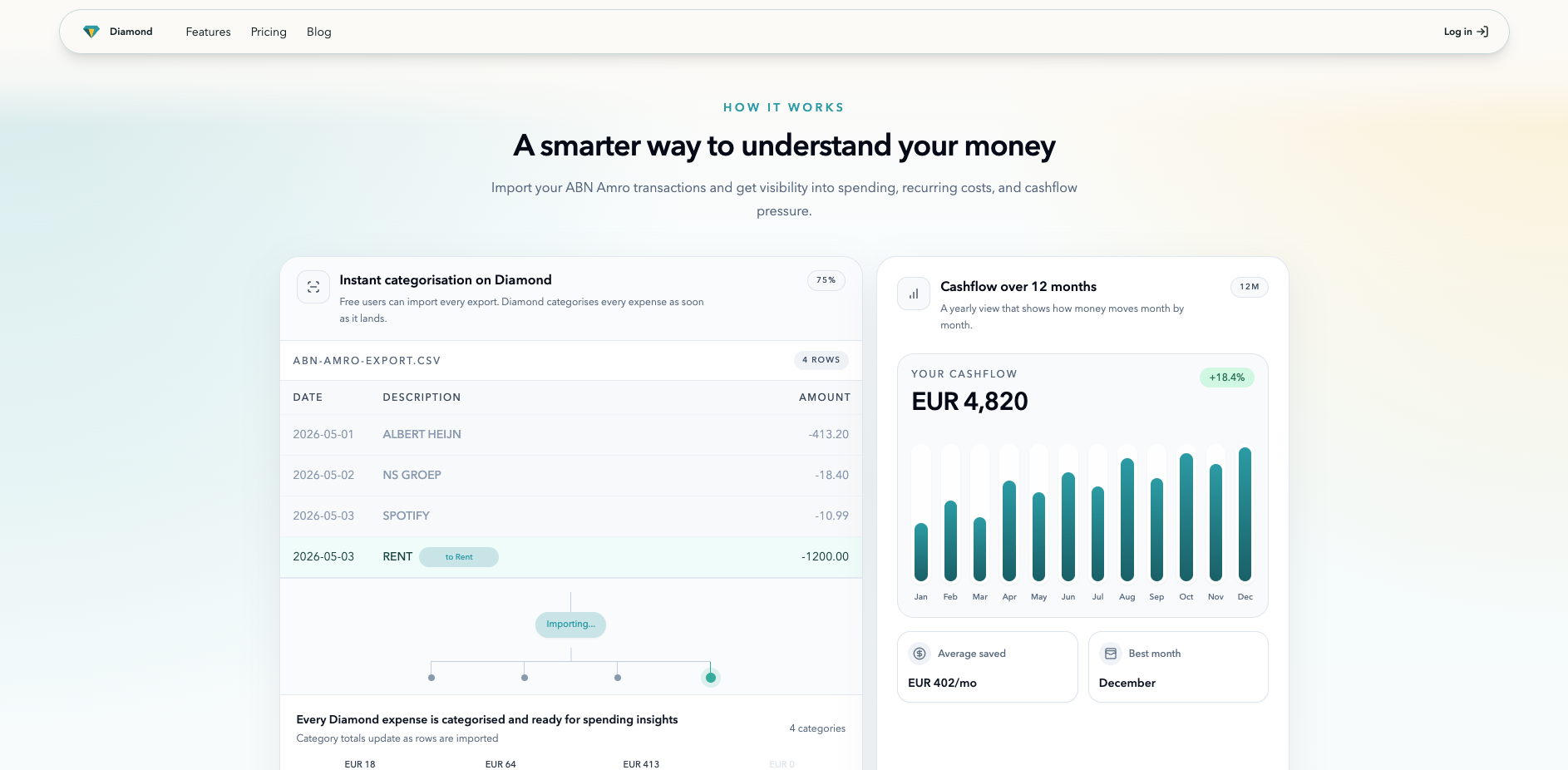
After setting up the template, you get a demo app with a few features out of the box. Nothing I needed, so I removed everything to start with only some foundational elements like login, password recovery, and payment pre-wired. To build a basic brand identity, I gave some references to ChatGPT and asked it to come up with a basic, modern-looking design system for an expense-tracking app. That was enough to move on to building the actual landing pages.
The Marketing Website
I wanted things to be extremely simple: a landing page with a bit of social proof, a brief description of the features, and a FAQ section at the bottom. A pricing page with two plans, one free and one pro. A small blog with some basic placeholder articles, and everything needed to log in, sign up, and recover a password.
React Shell

The last part of the front end is a simple React shell with a sidebar. This is where I'll put the spending analytics, a couple of user settings, and a button to log in and out.
The Categorisation Engine
With a decent website, it's time to start building the core of the app: the categorisation engine. My goal is to do minimal work when categorising my expenses.
This means I want to upload a CSV or an XLSX file and have all my expenses categorised, with the spend tracking ready.
That's the end goal.
To keep the spending under control, I want the first part of the engine to be fully deterministic. No AI involved.
Only if that fails to categorise the expense will I use an LLM to do it.
I think this structure makes sense for two reasons:
- It keeps costs under control. I don't want a user to upload a file of 10k rows of transactions and spend €20 on one upload.
- I want to grow a database of vendors, recorded as they appear in bank transactions. This way, as I upload more transactions, my vendor DB grows, which makes the categorisation more accurate.
Deterministic Categorisation
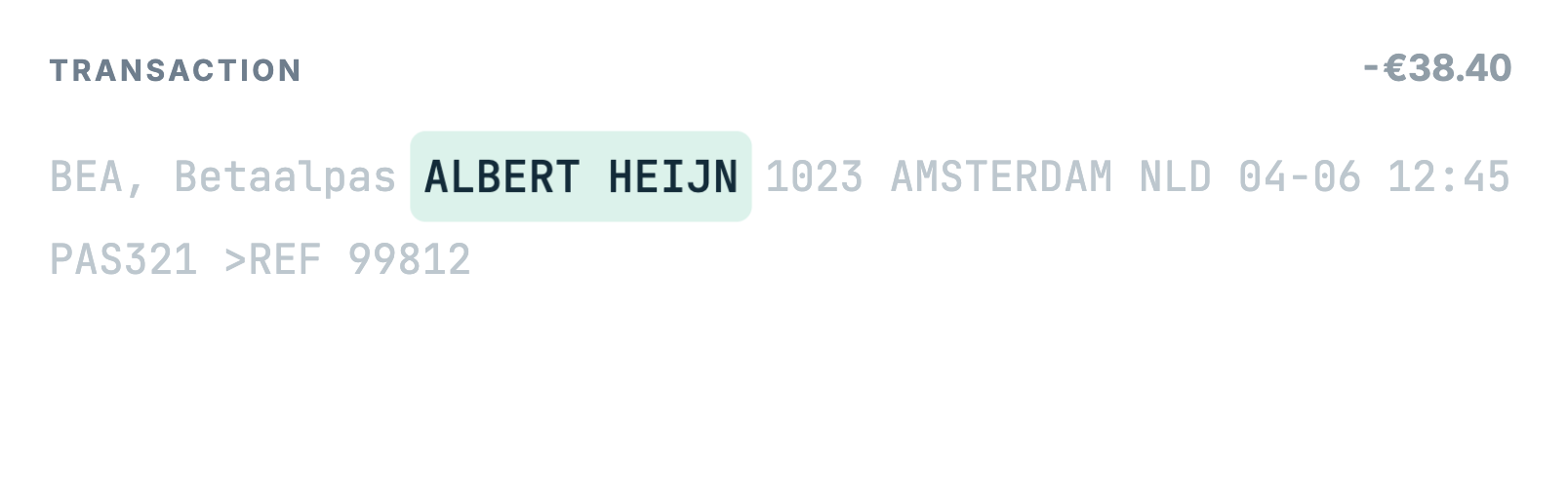
The first check is whether a transaction is a transfer between your own accounts.
If it is, the system leaves the vendor and category empty, because transfers are not real spending or income.
If the transaction is not a transfer between your own accounts, I want to sort it into a category.
Every transaction has a description, and in the description there is a vendor name.
There are a few different ways to find the name; the most common is this one. Some transactions have this clear pattern: /NAME/SpotifyAB.
For example: /TRTP/SEPA Incasso algemeen doorlopend/CSID/NL48ZZZ342764500000/NAME/SpotifyAB/MARF/KHVBGNP77QZ87F32/REMI/SpotifyAB P419254D99/IBAN/NL79DEUT7370000670/BIC/DEUTNL2AXXX/EREF/PJ8W8ZMXTPCDKRWZ3P.
In this case, I can find the vendor name easily with this code:
jsx
function extractStructuredVendorCandidate(description: string): string | null {
  const match = description.match(/(?:^|\/)name\/([^/]+)/i);
  if (!match?.[1]) return null;
  return cleanVendorCandidate(match[1]);
}
Once I find a vendor name, I search the database to see if it already exists.
If it does, we're done! The expense is sorted.
If it doesn't exist, I save the vendor name in the database but mark it as "waiting for review." Then an admin or an LLM can check if the name was extracted correctly, approve it, and add it to the final vendor database.
AI Categorisation
When I thought about AI categorisation, the main focus was to give any AI provider as little data as possible.
This way, users don't have all their data shared with a third-party company.
I don't want to have all my bank transactions uploaded to Claude or OpenAI, to be honest.
The second point is being aware of token usage. I want to categorise transactions using the least amount of tokens possible without trading off any accuracy.
All I give them is the vendor name, asking it to return the category with a confidence score.
Grouping Transactions
After deterministic rules and vendor learning, I want to group transactions by vendor. This avoids sending many similar transactions one by one and saves tokens. For example, five Lidl transactions can be grouped and categorised together.
Moreover, I send batches of vendors to categorise, which limits the cost even more.
Privacy Concern
The first thing I'd want to know about an app like this is whether it sends my sensitive data to a provider or not. If it does, it would be a dealbreaker for me. So, in order to keep the data local but still have accurate categorisation, this is the payload that gets sent to OpenAI:
userPayload: {
  vendorName,
  direction,
  allowedCategories: categories.map(({ key, label }) => ({ key, label })),
}
Grouping is based on vendor name when available; otherwise, a locally normalised description is used, only for grouping inside Diamond:
const vendorName =
  transaction.vendorName ?? extractVendorName(transaction.description);

const direction = transaction.amount.toNumber() >= 0 ? "income" : "expense";

const normalizedIdentifier = vendorName
  ? normalizeVendorName(vendorName)
  : normalizeDescription(transaction.description);

const key = `${direction}:${normalizedIdentifier}`;
This avoids sending many similar transactions one by one. For example, five Lidl transactions can be grouped and categorised together.
Accuracy
To make sure the answer is accurate, I ask the LLM to return a confidence score. Each result contains:
{
  vendorName,
  category,
  confidence
}
If this confidence score is below 0.7, the transaction remains uncategorised instead of being incorrectly assigned.
Improving Categorisation as the Database Grows
When the LLM returns a confident category, Diamond saves the result back to the transaction:
data: {
  category: groupResult.category,
  vendorName,
  vendorId: vendor?.id ?? null,
  categorizationSource: "llm",
  categorizationConfidence: groupResult.confidence,
}
It also upserts the vendor:
await upsertCategorizedVendor({
  vendorName,
  category: groupResult.category,
});
That means the next time the same vendor appears, Diamond can categorise it using deterministic vendor rules instead of AI. Again, fewer tokens.
Over time, the system becomes more rule-based and needs less AI assistance.
The Dashboard
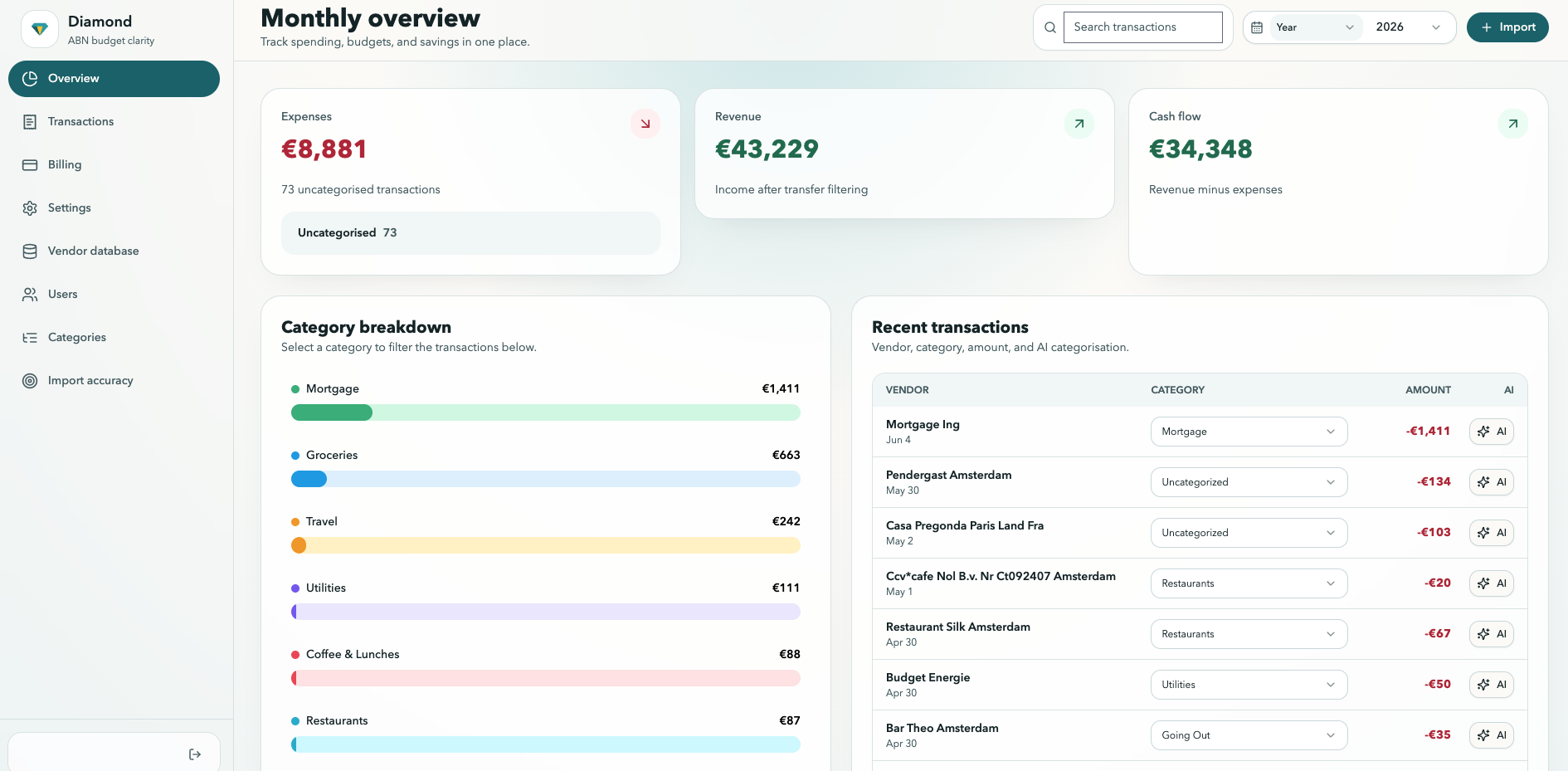
The dashboard starts with a few simple questions:
- How much did I make this month?
- How much did I spend?
- What is the result?
- Where did the money go by category?
- How does this compare to the rest of the year?
To show these numbers, Diamond first checks that the user is logged in. Then it asks the database for that user's transactions. After that, it applies the filters selected in the frontend, such as month, category, vendor, or transaction type.
The dashboard is built with shadcn components and connected to the database through Wasp queries. Each card shows one important number, such as total income, total spending, net cashflow, or uncategorised transactions.
For example, the frontend only loads dashboard data when the user is authenticated:
const canLoadAuthenticatedData = !!user && hasWaspSession;
Then the dashboard asks for the analytics data:
const expenseAnalyticsQuery = useQuery(
  getExpenseAnalyticsOverview,
  analyticsInput,
  { enabled: canLoadAuthenticatedData },
);
On the backend, Diamond only pulls transactions for the current user and selected period:
const transactions = await prisma.transaction.findMany({
  where: {
    userId: context.user.id,
    transactionDate: {
      gte: period.start,
      lt: period.end,
    },
  },
  select: {
    amount: true,
    category: true,
    vendorName: true,
    description: true,
    transactionDate: true,
  },
});
Then it calculates the main dashboard numbers:
if (amount < 0) {
  totalSpend += Math.abs(amount);
} else if (amount > 0) {
  totalRevenue += amount;
}
In simple terms: the dashboard authenticates the user, pulls that user's transaction data from the database, calculates the key financial stats, and then shows the result in a clean set of cards and charts.
Conclusion
Building Diamond was a great exercise in getting my hands dirty with language models and basic software architecture.
I spent most of my time learning backend concepts that were new to me: how to model data, query a database, protect user data, run background jobs, and connect the frontend to server operations.
The categorisation engine was especially interesting because it combined simple rules, vendor extraction, database lookups, and AI.
I also spent time checking that users only see their own data, reviewing which endpoints are exposed, encrypting sensitive values, and making sure the app does not send full bank transaction descriptions to AI providers.
My name is Filippo Irdi. I help B2B companies go to market effectively. I believe that GTM strategy should be an integrated part of the product. This is why I document what I build and how I bring it to market.
Do you want to work with me? Get in touch.